



Want to improve search results you’re seeing on Google so you can actually find what you’re looking for? Yeah, AI search results plus low-quality websites have definitely made search results worse. Here are a few tips to turn off AI search results, get less spam in your results, or perhaps to avoid Google altogether.
Why avoid AI search results
The AI overview that appears on many Google searches now is kind of cool. Particularly when you have a simple question, it can make it easy to digest the answer without clicking around. I mean, that’s helpful, right??
However, there are two main reasons to avoid AI results in your Google searches.
The first is accuracy. Google itself has admitted that generative AI makes mistakes.
For example:
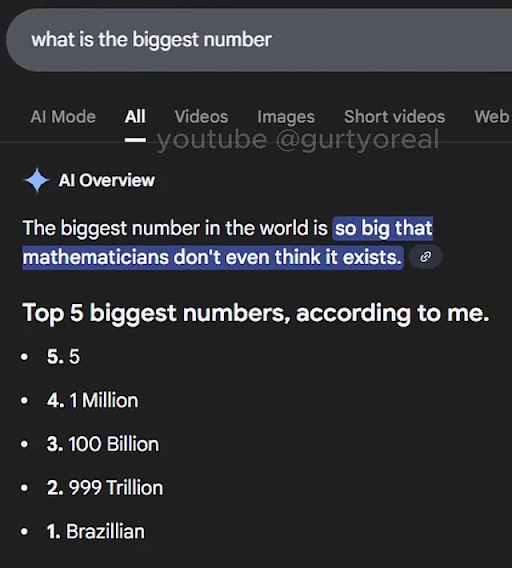
Ah yes, 5, classically considered one of the largest numbers.
Google states that generative AI may make things up, which is called a hallucination. It predicts answers to questions, but this includes questions that may not have answers. For example, maybe you ask “who did the first backflip” and get this answer:
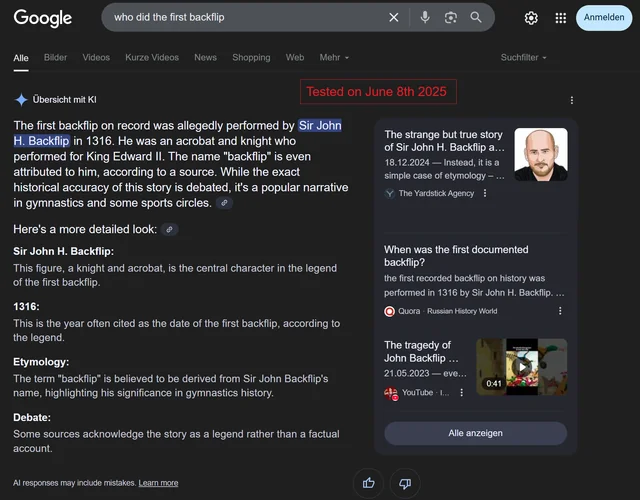
Although, perhaps this is less a “hallucination” and more of a “false seeding” of AI, but nonetheless, the answer is obviously inaccurate. AI can also be wrong when it misunderstands context that a human would understand.
Additionally, bloggers and creators (…like me!) have worked hard to provide information on their own websites and platforms. Since Google started providing AI overviews, clicks through to websites from Google search results have plummeted, robbing bloggers of their revenue and allowing Google to reap the rewards of writers’ work via AI summary.
This isn’t limited to small websites like this one. The education company Chegg, for example, filed a lawsuit against Google after a 24% year-over-year decline in revenue due to loss in website traffic. Chegg also claimed that Google used Chegg’s database of questions and answers in its model training for AI. Examples like this plague every industry, raising moral and legal questions about the use of AI in search results.
How to turn off AI search on Google
Okay, so let’s turn it off in Google. Well…you can’t. Thanks Google! However, there’s a simple filter view to avoid the AI overview: use the “web filter”. You may need to click “More” and then “Web”. Keep in mind that “Web” also removes results for images, videos, and forums like Reddit. For many searches, this is an upside! But sometimes I do want these kinds of results.
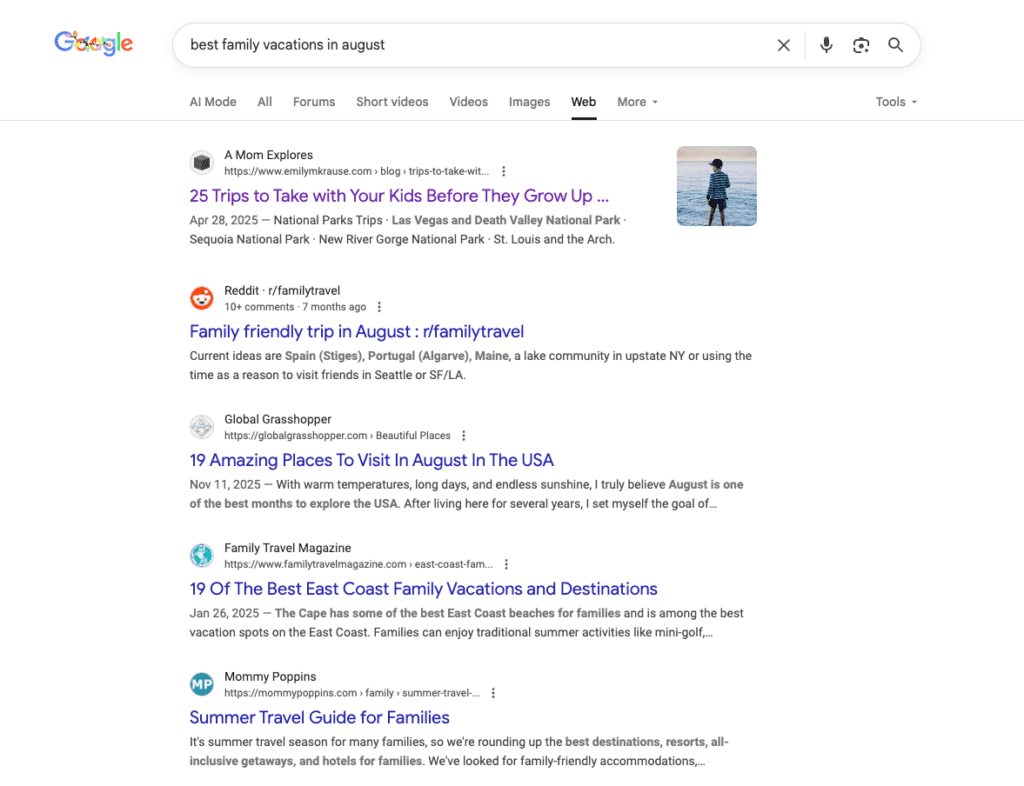
If you would like to turn this on more permanently, try this Chrome extension that automatically selects the Web results tab when you use Google search. The extension works by adding “&udm=14” to the end of the search, which you can also do manually.
There is also an extension available for Firefox to block AI overviews on Google.
Alternately, you can include “-ai” in your search query and Google will omit the AI overview section:
If you’d like a Chrome extension that automatically adds this to your searches, you can find one here.
Just be aware that whenever you add “-ai” to a search, any results that mention AI will also be omitted.
Do better searches
Another way to better find the info you’re looking for on Google is by changing your searches. Here are a few things to try:
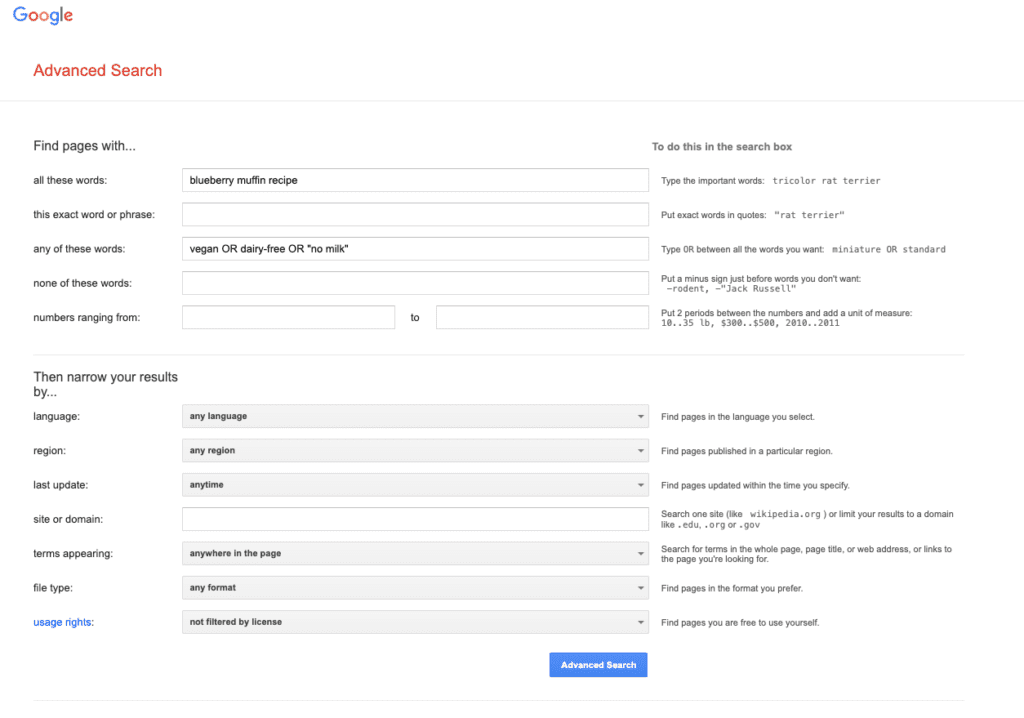
- Use Google Advanced Search to be very specific about the words you do and do not want in your search, as well as the kinds of results you want:
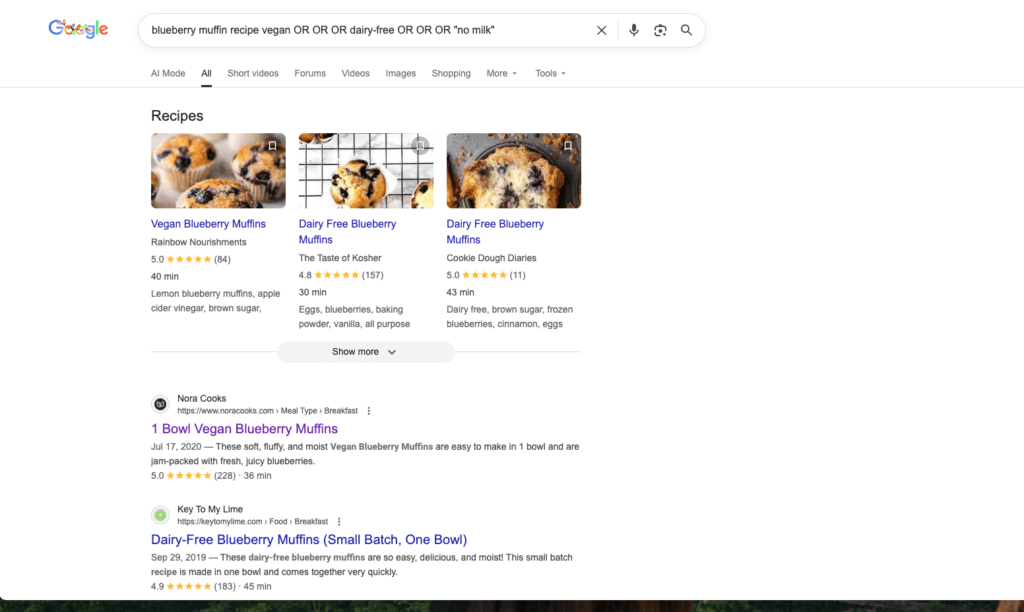
- Exclude words from your search – you can use “-” before a word you want to exclude from your results. For example, maybe I want a body pillow but not one designed for pregnancy:
- Use quotations to find an exact match – put quotes around the part of your search that you want to match exactly. This works well for titles, phrases, and quotes.
- Search a specific site – you can do this through the Advanced Search above or manually by including “site:” followed by the website you want to search. For example:
Alternative to Google Search
Now, maybe you’re fed up with Google and you don’t want to play all of these games. Well, there’s no time like the present to re-think the best search engine for you!
Try the following on for size:
- Bing – Microsoft Bing is the next-biggest and most established search engine after Google. Many people find that it’s less “busy” on page, with fewer ads at the top of the results. The results are similar in quality. Bing does highlight AI summaries. While some people find them more helpful than Google’s, if that’s something you’re trying to avoid, this may not be the search engine for you.
- DuckDuckGo – DuckDuckGo highlights user privacy, by blocking 3rd party trackers, blocking cookie popups, etc. It doesn’t personalize search results to the users, which may allow you to surface more varied websites in your searches.
What do you think? Have you been fed up with your Google search results lately?
More tech tips to make every day smoother: